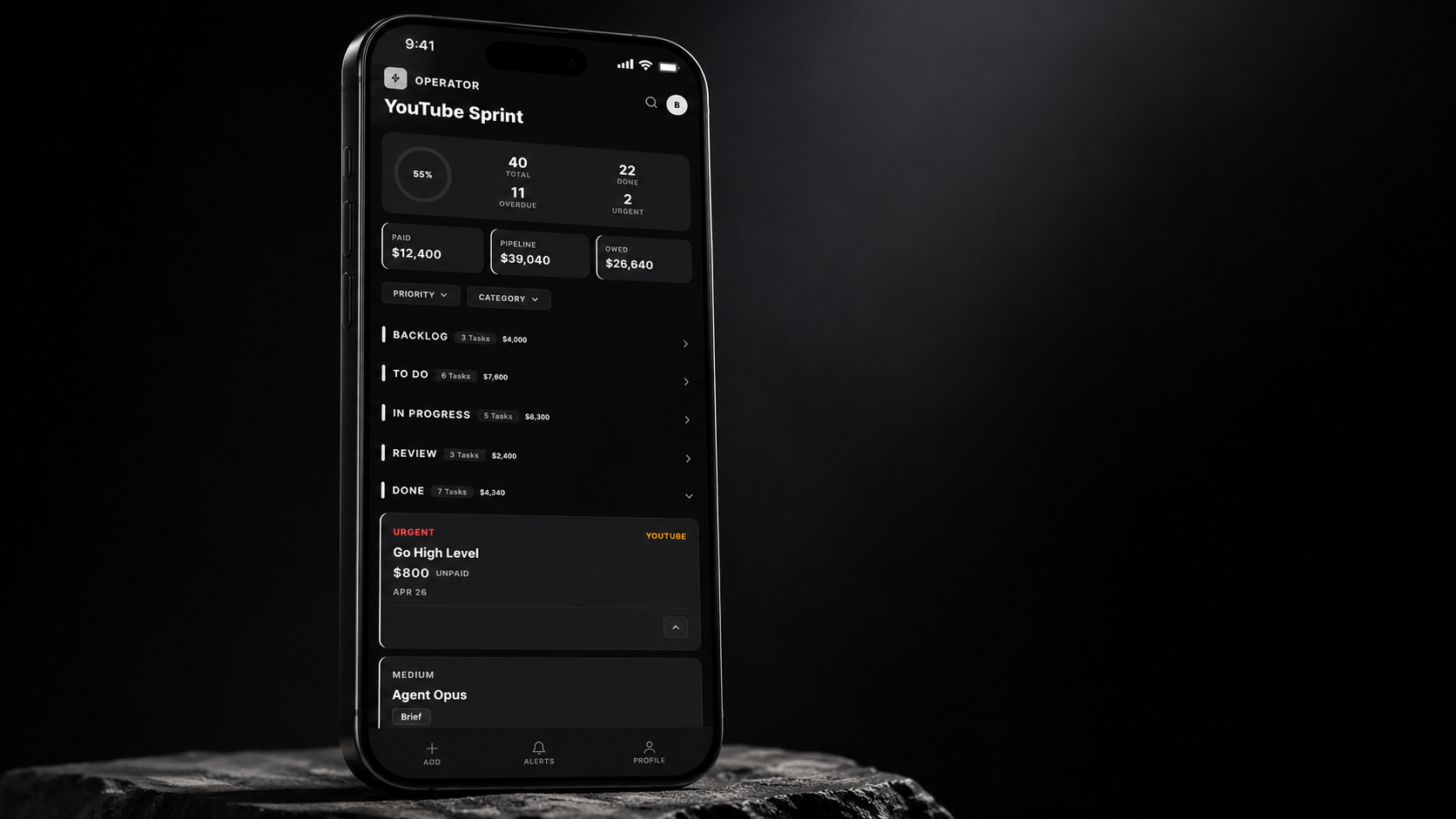
If you have ever stared at a cluttered spreadsheet trying to figure out which client project is overdue, which brand deal is waiting on approval, or which task got dropped somewhere between a Slack message and a sticky note, you already know the problem. Most project management tools were built for enterprise software teams, not for creators, entrepreneurs, or small businesses who move fast and wear a lot of hats. They are bloated, complicated, and full of features you will never use. Operator is different.
Operator is a Kanban-based project management app built from the ground up for the way modern teams actually work. Whether you are managing a brand deal pipeline, juggling client projects, or coordinating a team across multiple campaigns, Operator gives you a clean, visual command center that keeps everything moving. Here is why it belongs in your workflow.
Your Projects Deserve More Than a Spreadsheet
There is a reason so many teams default to spreadsheets: they are flexible. But flexibility without structure is just chaos with columns. When your project tracker lives in a Google Sheet, you end up with color-coded cells that only one person understands, status updates buried in comments, and no real sense of what is moving and what is stuck.
Operator replaces that chaos with a Kanban board that gives you an instant, visual read on every project in your pipeline. Cards move from stage to stage as work progresses. At a glance, you can see what is in progress, what is waiting on review, and what is ready to close. No digging through rows, no decoding color codes, no wondering what “In Progress” actually means for column G.
Built for Real Pipelines, Not Hypothetical Workflows
A lot of project management tools want you to build your workflow around their system. Operator flips that. It was designed to mirror the actual lifecycle of real work: pitching, contracting, producing, reviewing, and closing. For creators and entrepreneurs, that might mean tracking a brand deal from the first outreach email all the way through final payment. For agencies, it might mean moving a client campaign from kickoff to delivery.
Operator gives you the flexibility to build columns that match your process, not someone else’s template. You define the stages. You name the statuses. You set up the board to reflect how your business actually runs. And when your workflow evolves, your board can evolve with it.
An AI Assistant That Actually Knows Your Business
Here is where Operator goes beyond a standard Kanban tool. Built into the platform is an AI assistant powered by Claude, Anthropic’s AI model. This is not a generic chatbot bolted onto the side of the app. It is a context-aware assistant that understands your board, your projects, and your pipeline.
Need to surface which deals are stalled? Ask. Want a quick summary of everything in review this week? Ask. Looking for a pattern in how long projects spend in a particular stage? Ask. The AI assistant turns your project data into actionable insight without requiring you to export anything, build a report, or run a single formula.
For solo operators and small teams, this is like having a project coordinator who never sleeps and never loses track of a detail.
Simplicity Is the Feature
The most underrated feature in any tool is the one you do not have to think about. Operator was intentionally built to be lean. It does not try to be a CRM, a time tracker, a document editor, and a project manager all at once. It does one thing extremely well: it keeps your work organized and visible.
That simplicity means your team actually uses it. One of the biggest failure modes for project management software is adoption drop-off. People set it up, add a few cards, and then stop because the friction of maintaining it is higher than the value they get back. Operator is built to stay out of the way. The interface is clean, the learning curve is short, and the payoff is immediate.
Who Operator Is Built For
Operator is not trying to replace Jira for a 200-person engineering team. It is built for:
- Creators and YouTubers managing brand deals, content calendars, and production timelines
- Entrepreneurs running lean operations who need visibility without complexity
- Small agencies managing multiple client campaigns at once
- Freelancers tracking project stages, approvals, and payments
- Teams that have outgrown spreadsheets but do not need the overhead of enterprise tools
If your team is spending more time managing the tool than managing the work, that is the signal. Operator is designed so that the tool works for you, not the other way around.
The Bottom Line: Visibility Changes Everything
Project management is really just organized visibility. When you can see where everything is, what needs attention, and what is coming next, your ability to make good decisions improves dramatically. Things stop falling through the cracks. Deadlines stop being surprises. Conversations shift from “Where are we on this?” to “Here is what is next.”
Operator gives your team that visibility in a format that is fast to set up, easy to maintain, and genuinely useful every day. It does not require a training program or a dedicated admin. You can be up and running in an afternoon and wondering how you managed without it by the end of the week.
Whether you are a creator juggling five brand deals, a freelancer tracking client work, or a small team trying to get out of your inbox and into a real system, Operator is the command center you have been building makeshift solutions to replace. It is time to stop patching the problem and start running your work the way it deserves to be run.
Ready to bring order to your chaos? Try Operator and see what your pipeline looks like when everything is finally in one place.